How to showcase staff portraits for your brand


TL;DR:
Showcasing staff portraits involves adhering to technical standards like JPG format, under 2MB file size, and a 3:4 aspect ratio to ensure consistent online display.
Stylish, authentic images that reflect company culture—whether formal headshots or environmental portraits—build trust and communicate brand values effectively.
Regular updates, explicit consent, and accessible presentation enhance credibility, while avoiding common mistakes like inconsistency or outdated photos preserves a professional reputation.
Showcasing staff portraits is defined as the deliberate process of presenting professional employee photos across your website, internal platforms, and physical spaces to reinforce brand identity and team cohesion. Done well, it shapes how clients, candidates, and colleagues perceive your organisation within seconds of a page loading. Done poorly, it quietly undermines the credibility you’ve worked hard to build. This article walks you through the technical requirements, style decisions, display strategies, and privacy considerations that turn a collection of headshots into a genuine brand asset.
How to showcase staff portraits: technical requirements first
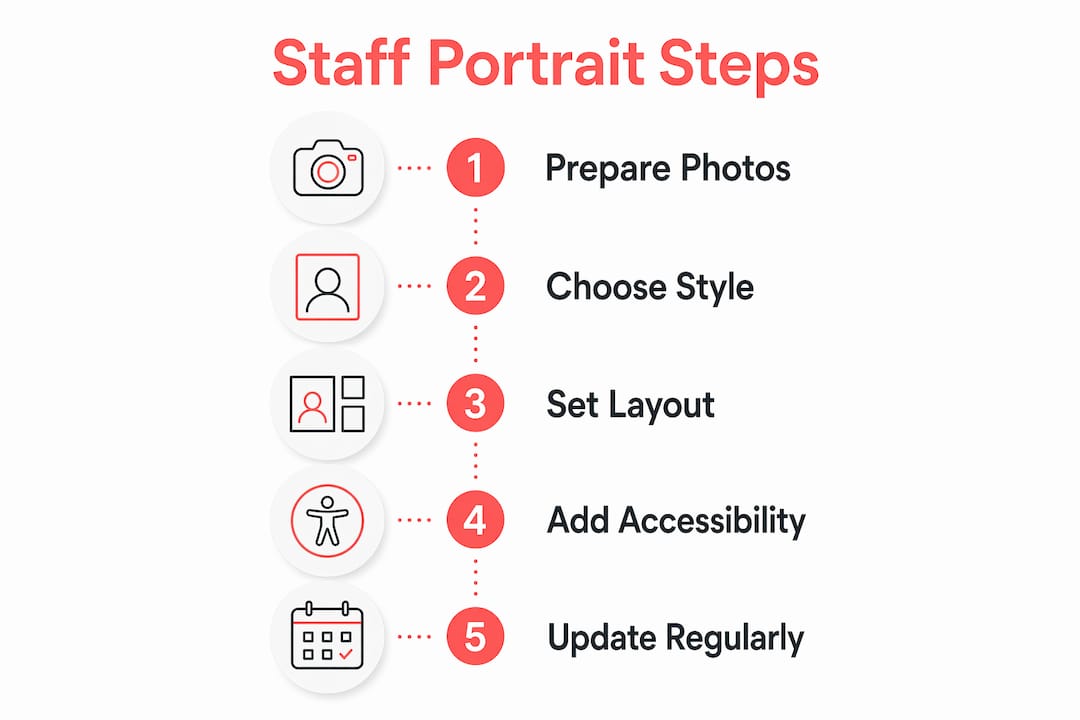
Before you think about layouts or lighting, get the technical foundation right. Staff photos for digital platforms should use JPG format, file sizes under 2MB, and a 3:4 aspect ratio for consistent display across platforms. That standard, used by enterprise HR systems like SAP SuccessFactors, prevents the stretched or cropped portraits that make a team page look careless.
Update frequency matters just as much as file format. Professional portraits updated every 2 to 3 years maintain the “Halo Effect,” the psychological tendency for visitors to extend positive impressions from a polished photo to the person and company behind it. If someone’s appearance changes significantly, update sooner. A photo that no longer looks like the person it represents creates confusion and erodes trust.
Here is a quick-reference checklist for photo specifications:
Format: JPG only (PNG adds unnecessary file weight)
File size: Under 2MB per image
Aspect ratio: 3:4 (portrait orientation)
Minimum resolution: 180 x 240 pixels for web display
Naming convention: Use a consistent structure such as firstname_lastname_year.jpg
Metadata: Include full name, job title, and department in the file’s EXIF or CMS fields
Managing a large team’s photos requires a structured workflow. Batch uploads via FTP/SFTP using CSV files that map usernames to photo filenames can handle up to 5,000 photos per upload. That scale matters for HR teams managing directories across multiple locations.
Pro Tip: Standardise your filename structure from day one. A consistent format like firstname_lastname_dept_2026.jpg makes bulk updates, audits, and CMS imports dramatically faster, especially when onboarding new staff or refreshing an entire department.
What style and mood should your staff portraits convey?
Style is not decoration. It is a direct signal of your company’s culture and values. Formal, evenly lit studio headshots convey professionalism suited for legal or financial sectors, while environmental portraits showcase modernity and approachability in creative or tech sectors. The choice between the two is a brand decision, not just a photography preference.
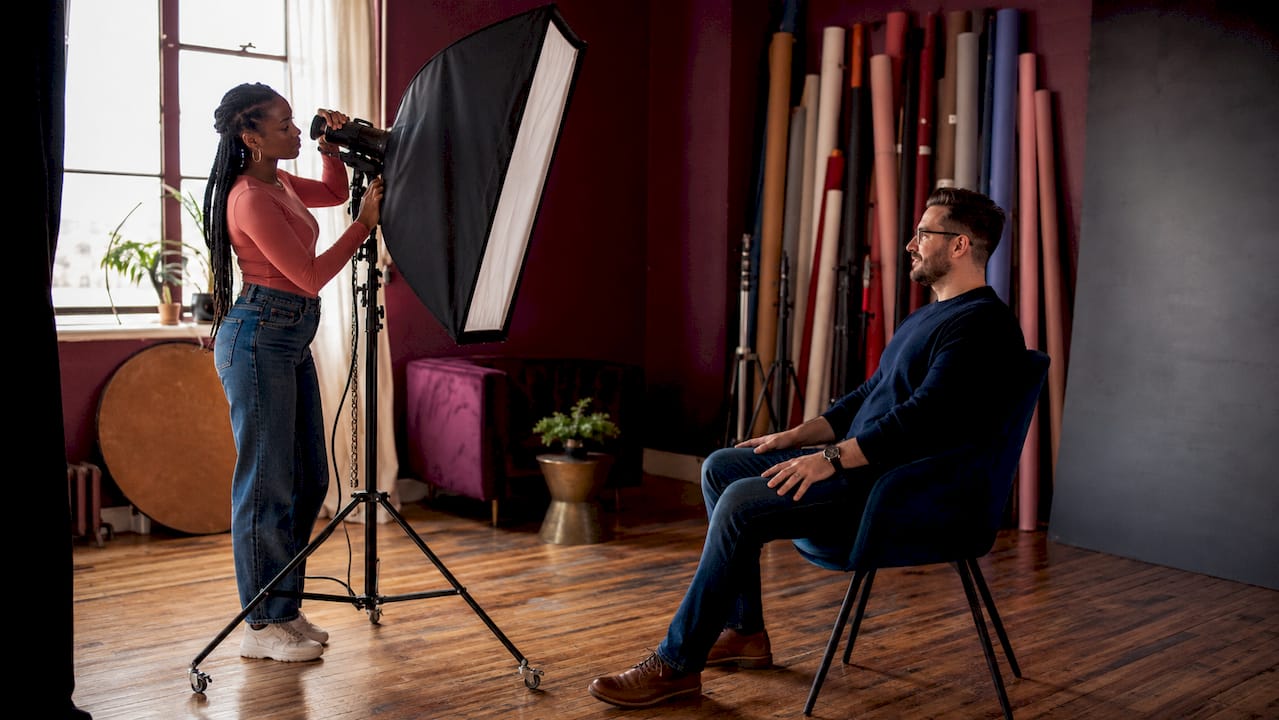
Think about where your company sits on the spectrum. A law firm in Calgary’s downtown core communicates authority through clean, neutral backgrounds and consistent framing. A design agency or tech startup communicates energy and personality through portraits taken in their actual workspace, with natural light and candid expressions. Neither approach is wrong. What is wrong is mixing both styles across the same team page.
When briefing a photographer, be specific about these elements:
Background: Solid colour, branded backdrop, or environmental setting
Lighting: Studio strobes for consistency, or natural light for warmth
Framing: Head and shoulders, or three-quarter length
Expression: Approachable smile, or composed and direct
Wardrobe guidance: Provide a simple dress code so the team looks cohesive, not identical
One point worth emphasising: stock photos undermine credibility in a way that is immediately detectable. Visitors recognise generic imagery instantly, and it signals that your team either does not exist or does not care enough to show up authentically. Real photos of real people, even imperfect ones, build more trust than polished stock imagery every time.
Pro Tip: Ask your photographer to capture a few candid shots during the session alongside the formal portraits. A mix of posed and natural images gives you flexibility for different contexts, from your website’s team page to LinkedIn posts and internal communications.
For teams that want to go deeper on creative team photo concepts, thinking beyond the standard headshot opens up real storytelling opportunities.
What are the best ways to display employee photos?
Presentation is where technical quality and style choices either pay off or fall flat. High-converting team pages balance visual density and usability using consistent photo sizes, white space, and clear hierarchy in layout. The two most common approaches are grids and columns, and each serves a different purpose.
Layout type | Best for | Key consideration |
Grid layout | Large teams (10+ people) | Emphasises breadth; requires strict photo consistency |
Column layout | Small teams (under 10) | Creates intimacy; allows more biographical detail |
Featured + grid | Leadership teams | Highlights key people without diminishing others |
Interactive gallery | Creative industries | Adds personality; requires mobile-responsive design |
Beyond layout, alt text and Person schema markup improve both SEO and accessibility for staff portrait pages. Screen readers rely on descriptive alt text to convey who is in a photo, and search engines use schema markup to understand the relationship between a person’s name, role, and image. Both are quick wins that most team pages skip entirely.
Physical displays deserve the same attention. Employee photo walls in lobbies, printed directories in meeting rooms, and digital kiosks at reception all reinforce team identity for visitors and staff alike. Interior design studios like Yonda Interiors demonstrate how thoughtful visual presentation in physical spaces creates an immediate sense of culture and professionalism. The same principle applies to how you frame and arrange staff portraits on a wall.
For responsive design, test your team page on mobile before launch. Photos that look sharp on a desktop often compress awkwardly on a phone screen. Use CSS that maintains the 3:4 ratio across breakpoints, and avoid hover-dependent interactions that do not translate to touch screens.
How do privacy and consent apply to staff photos?
Privacy is not a checkbox. It is an ongoing responsibility, and it applies the moment you publish an employee’s photo anywhere that is publicly accessible. Employee photos on public lobby kiosks or digital directories require privacy compliance and employee consent to avoid legal risks. In Canada, PIPEDA (the Personal Information Protection and Electronic Documents Act) governs how personal information, including photos, can be collected, used, and displayed.
Here is a practical framework for managing consent:
Obtain written consent before any photo is taken for professional use
Specify where the photo will be used (website, LinkedIn, internal directory, print materials)
Allow employees to review and approve their photo and accompanying bio before publication
Provide a clear process for employees to request removal or replacement
Review consent records annually, especially after platform changes or acquisitions
Privacy and consent are increasingly critical with interactive technologies such as lobby kiosks pulling live data from employee directories. A photo published internally today can become publicly visible tomorrow if your systems integrate with external platforms.
Some employees are genuinely uncomfortable with an online presence, and that discomfort deserves respect. Offering an illustrated avatar or a department-level group photo as an alternative keeps the team page visually consistent without forcing anyone into a situation they find distressing. It is a small accommodation that signals a lot about your company’s culture.
What mistakes should you avoid when presenting team images?
The most common mistakes in staff portrait presentation are not dramatic failures. They are quiet, cumulative problems that gradually erode the impression your team page makes.
Inconsistent lighting and backgrounds are the most visible issue. When half your team was photographed in a bright studio and the other half on their phones in a home office, the page looks assembled rather than intentional. Consistency signals that someone is paying attention.
Outdated photos are the second most common problem. A portrait from five years ago that no longer resembles the person creates a jarring disconnect when a client meets them in person. The Halo Effect works in reverse too. An outdated or low-quality photo signals neglect, and that impression extends to your brand.
Other pitfalls worth avoiding:
Ignoring mobile responsiveness, which affects the majority of web traffic
Skipping alt text and metadata, which hurts both SEO and accessibility
Using avatars or placeholder images for new hires instead of scheduling a prompt photo session
Failing to remove photos of former employees from public-facing pages
Pro Tip: Set a calendar reminder every 12 months to audit your team page. Check for former employees, outdated photos, and missing alt text. A one-hour audit once a year prevents the kind of slow decay that makes a team page feel abandoned.
Understanding why professional photos matter for your brand goes beyond aesthetics. It is about the signal your imagery sends before a single word is read.
Key takeaways
Effective staff portrait showcasing requires consistent technical standards, deliberate style choices, and clear privacy practices working together to build brand trust.
Point | Details |
Technical specs matter | Use JPG format, under 2MB, 3:4 ratio for consistent display across all platforms. |
Update portraits regularly | Refresh photos every 2 to 3 years or after significant appearance changes to maintain credibility. |
Style reflects brand culture | Choose between studio headshots and environmental portraits based on your industry and company personality. |
Display design drives engagement | Grid and column layouts, combined with alt text and schema markup, improve both user experience and SEO. |
Privacy is non-negotiable | Obtain written consent, specify usage, and provide a clear opt-out process for every employee. |
What I’ve learned from years of team portrait work
I’ll be honest with you: the businesses that get the most out of their staff portraits are not necessarily the ones with the biggest budgets. They are the ones who treat the photo session as a brand moment, not an administrative task.
I’ve photographed teams where the HR manager handed everyone a one-page brief the week before, covering wardrobe, timing, and what to expect on the day. The results were noticeably more cohesive than sessions where people showed up not knowing what to wear or how long it would take. That preparation shows in the final images, and it shows on the team page.
The other thing I see consistently is that companies underestimate how much a well-presented team page does for recruitment. Candidates research companies before interviews, and a team page with warm, consistent, professional portraits communicates something that a job posting never can. It says: these are real people, and they show up with intention.
The technical side, file formats, aspect ratios, schema markup, matters. But the human side matters more. When someone looks at your team page and feels like they already know the people there, you’ve done something genuinely useful for your brand.
— Jeff
Ready to get your team’s portraits done right?
If you’ve been putting off a team photo session because it feels complicated or time-consuming, I get it. Coordinating schedules, deciding on style, making sure everyone looks their best — it adds up. That’s exactly why Itsjeffb built the process to be straightforward and efficient, with on-location sessions that work around your team’s schedule and deliver consistent results across every person in the frame.
[
Whether you’re refreshing a few headshots or photographing an entire department, Itsjeffb brings the same care and consistency to every session. Check out Calgary team headshot options to see how on-site photography works, or review pricing and booking details to find the right fit for your team. Let’s get your people looking like the professionals they are.
FAQ
What file format works best for staff portraits online?
JPG format with a file size under 2MB and a 3:4 aspect ratio is the recommended standard for digital staff portraits. These specifications ensure consistent display across HR platforms, websites, and mobile devices.
How often should employee photos be updated?
Professional staff portraits should be refreshed every 2 to 3 years, or sooner if an employee’s appearance changes significantly. Outdated photos reduce the credibility of your team page and weaken the positive first impression you want to create.
Do I need employee consent to publish staff photos?
Yes. Canadian privacy law under PIPEDA requires consent before publishing an employee’s photo in any public-facing context. Written consent that specifies where the photo will be used is the safest and most respectful approach.
What is the difference between a headshot and an environmental portrait?
A headshot is a close-up portrait, typically head and shoulders, taken against a neutral or branded background. An environmental portrait is taken in a real workspace or setting to convey personality and company culture, and it works particularly well for creative or technology-focused organisations.
How do alt text and schema markup help staff portrait pages?
Alt text describes the image content for screen readers and search engines, while Person schema markup tells search engines the name, role, and relationship of the person in the photo. Together, they improve both accessibility and SEO for your team page.
Recommended


Comments