Team headshot ideas that build a stronger brand

TL;DR:
Team headshots create a unified visual identity that enhances first impressions and reinforces brand professionalism. Consistent backgrounds, precise posing, wardrobe coordination, and well-planned logistics are essential for achieving cohesive and high-quality portraits. Regular updates and AI-enhanced post-production maintain visual consistency and adapt to evolving team compositions.
Team headshots are coordinated professional portraits designed to unify and represent a company’s people with a single, consistent visual voice. Done well, they do far more than fill an “About Us” page. They shape first impressions on LinkedIn, anchor press kits, and signal to clients that your organisation takes its identity seriously. The right combination of posing guidance, professional lighting, and AI-powered post-production editing can turn a single shoot day into a lasting brand asset that works across every platform your team appears on. This guide covers creative concepts, coordination tactics, and technical decisions that make the difference between forgettable photos and portraits your team is proud to use.
1. Choose a background that works for your brand
Neutral grey or dark charcoal seamless backgrounds are timeless choices that hold up across platforms without competing with brand colours. That consistency matters because the same image often ends up on a website grid, a LinkedIn profile, and a printed brochure. Gradient backdrops add a touch of depth and dimension without introducing distracting detail. Environmental backdrops, such as a branded office reception or a clean architectural wall, work well for companies whose physical space is part of their story.
The key is committing to one approach for the entire team. Mixing a seamless studio background for some employees with an outdoor brick wall for others creates visual noise that undermines cohesion. Pick the option that fits your brand identity, then apply it consistently.
2. Use directional posing to balance polish with personality
Posing coaching on set helps even the most camera-shy employees feel comfortable and achieve natural, polished expressions. This includes specific guidance on chin position, shoulder angle, eye line, and the subtle energy someone projects when they lean slightly forward. These are not small details. They are the difference between a portrait that reads as confident and one that reads as stiff.
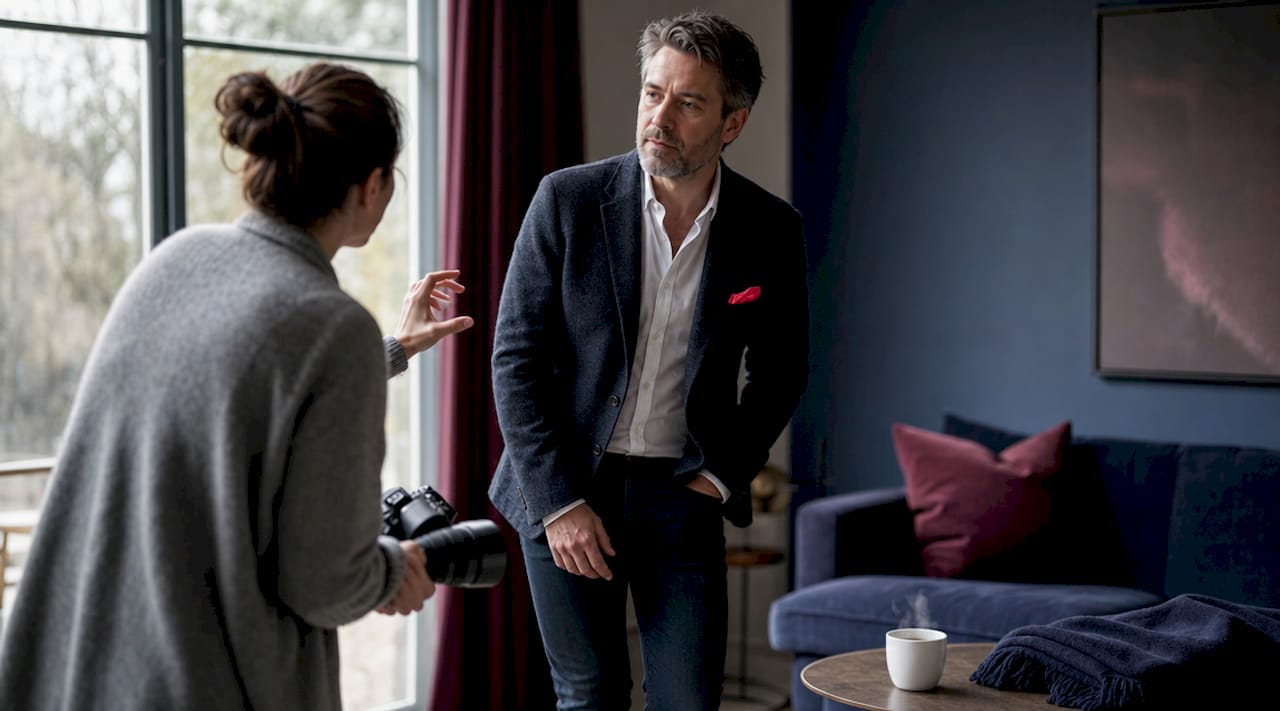
For professional services firms, a three-quarter turn with direct eye contact reads as authoritative. For tech startups or creative agencies, a more relaxed stance with a genuine smile reads as approachable. Neither is wrong. The goal is matching the pose to the personality your brand wants to project.
Pro Tip: Ask each team member to think of a specific moment they felt proud of their work just before the shutter fires. That internal shift produces a more genuine expression than any instruction to “smile.”
3. Coordinate wardrobe with a simple colour palette
Wardrobe is one of the fastest ways to either unify or fragment a team’s visual identity. Solid colours photograph cleanest and hold up best across web and print formats. Navy, charcoal, white, and muted earth tones are reliable choices that read as professional without looking like uniforms.
Avoid busy patterns, logos on clothing, and overly casual pieces unless your brand deliberately leans casual. The goal is not matching outfits but creating a palette that feels intentional when all portraits appear side by side on a website. Providing a one-page wardrobe guide to your team at least one week before shoot day reduces on-the-day surprises and keeps the visual result consistent.
4. Add creative context shots for culture-forward brands
Standard headshots are not the only option. Environmental or context shots, where a team member is photographed in a workspace, at a desk, or in a meeting room, add a layer of storytelling that pure studio portraits cannot. These work particularly well for companies that want to communicate culture, creativity, or a specific way of working.
Props can play a role here too, though restraint is wise. A chef photographed with a knife, an architect with blueprints, or a developer at a dual-monitor setup all add meaning without feeling contrived. The prop should be relevant to the role, not decorative. For most corporate teams, the clean headshot remains the workhorse image, with context shots serving as supporting visuals on team pages or social media.
5. Decide between studio, on-site, and outdoor locations
Each location type carries trade-offs worth understanding before you book. Studio shoots offer the most controlled lighting and the cleanest, most consistent results. They work best for teams that want a polished, platform-ready look with minimal post-production. The downside is logistics: getting a large team to a studio takes coordination and travel time.
On-site shoots at your office are often the most practical choice for teams of 20 or more. A skilled photographer brings portable lighting and a backdrop, turning a boardroom or lobby into a temporary studio. Outdoor shoots introduce natural light and a more relaxed aesthetic, but they depend on weather, require careful timing around golden hour, and can produce inconsistent results if the session runs long. For most Calgary businesses, on-site is the sweet spot between quality and convenience.
6. Plan your schedule with precision
Blocking 8 to 10 minute windows per person, with 15-minute buffers every 90 minutes, is the scheduling standard that keeps a shoot day on track. Buffers absorb the inevitable delays from late arrivals and last-minute wardrobe fixes. Without them, a single 20-minute delay early in the day can cascade into a session that runs hours over schedule.
For a team of 30, plan on a half-day session. For 80 to 100 people, a full day with staggered time slots is the realistic expectation. Build your schedule in a shared document and send confirmed time slots to each team member at least a week in advance. People show up prepared when they know exactly when they are expected.
7. Assign a dedicated flow coordinator
A dedicated point person managing arrival times and session flow is the single biggest factor in whether a team shoot runs smoothly. Without this role, sessions can run hours over schedule due to confusion, missed slots, and repeated interruptions to the photographer’s setup. The coordinator does not need photography experience. They need to know the schedule, communicate it clearly, and keep people moving.
This person also handles the ready room, a designated space where team members can check grooming, review wardrobe, and wait for their slot without disrupting the shoot. Even a simple setup with a mirror, a lint roller, and a printed schedule makes a measurable difference in the quality of the day.
Pro Tip: Send a one-page brief to every team member the week before. Include the schedule, wardrobe guidelines, a sample of the backdrop colour, and two or three reference photos showing the intended style. Clear, early communication significantly reduces day-of stress and improves visual consistency.
8. Standardise your technical setup for long-term consistency
Documenting exact setup details, including lighting modifier positions, camera settings, and backdrop specifications, after the shoot enables consistent new hire images that match the original session style. This prevents version drift, the gradual visual inconsistency that creeps in when new headshots are taken without reference to the original setup. A team page that mixes three different lighting styles and four different backgrounds looks like it was assembled from stock photos rather than a unified shoot.
The table below outlines the key technical variables worth documenting for every team headshot session.
Technical variable | What to record |
Lighting setup | Modifier type, power settings, and distance from subject |
Camera settings | Focal length, aperture, ISO, and shutter speed |
Background | Colour, material, and distance from subject |
Crop standard | Head-to-shoulder ratio and framing for each platform |
File delivery | Resolution, format (JPEG/PNG), and naming convention |
Knowing where photos will be used also determines the crop and resolution you need. Platform-appropriate crops, such as square for web grids and vertical for LinkedIn, improve how images integrate into each context. Deliver multiple file versions so your team has the right format ready for every use case.
9. Use AI tools for post-production consistency
AI tools excel at background replacement and batch retouching to produce consistent colour grading across an entire team’s portraits. Batch AI editing accelerates skin tone balancing and background uniformity, saving significant time on large-volume projects. The important distinction is that AI works best as a post-production layer on top of professional photography, not as a replacement for it. A well-lit, well-posed original image produces a far better AI-enhanced result than a poorly lit one.
For distributed or remote teams, AI background replacement makes it possible to match a new hire’s home-office headshot to the rest of the team’s studio portraits. It is not a perfect solution, but it closes the gap meaningfully until an in-person session is possible. Tools like Adobe Lightroom, Luminar Neo, and Imagen AI each handle batch processing differently, so it is worth testing which fits your workflow.
10. Treat headshots as an ongoing branding system
Effective team headshot programmes treat photography as an ongoing branding system rather than a one-off event. Companies that schedule quarterly or semi-annual mini-sessions for new hires maintain a consistent team page without the disruption of a full company-wide reshoot every time someone joins. This approach also integrates naturally into onboarding, giving new employees a professional portrait within their first few weeks.
Building headshots into your hiring pipeline signals to candidates and clients alike that your organisation values its visual identity. A polished LinkedIn profile for every team member is a visible, credible signal of professionalism that clients notice before they ever read a word of your website copy.
Key takeaways
The most effective team headshot programmes combine a documented technical setup, a dedicated coordinator, and a commitment to treating photography as an ongoing brand investment rather than a single event.
Point | Details |
Background consistency | Choose one backdrop style and apply it to every team member without exception. |
Schedule with buffers | Block 8 to 10 minutes per person and add 15-minute buffers every 90 minutes to absorb delays. |
Document your setup | Record lighting, camera settings, and crop standards so new hire sessions match the original shoot. |
Assign a coordinator | One dedicated point person prevents scheduling chaos and keeps the shoot day on time. |
Plan for the long term | Quarterly mini-sessions for new hires maintain visual consistency without a full company reshoot. |
What I’ve learned from shooting teams of every size
After photographing teams ranging from five-person startups to organisations with over a hundred staff, the pattern that separates great results from mediocre ones is almost never about the camera or the lighting. It is about preparation and communication.
The teams that arrive with a clear wardrobe brief, a confirmed schedule, and a coordinator who knows the plan produce portraits that look cohesive and confident. The teams that show up with vague instructions and no point person spend the first hour sorting out logistics that should have been handled the week before. The photos reflect that energy.
I also think the industry undersells the value of posing guidance. Most people genuinely do not know what to do with their hands, their chin, or their eyes when a camera is pointed at them. That is not a personal failing. It is just unfamiliar territory. A photographer who takes two minutes to coach each person through their posture and expression produces a fundamentally different result than one who fires away and hopes for the best.
The other thing I would push back on is the idea that a single shoot day is enough. Your team changes. People join, people leave, roles evolve. A headshot programme that builds in regular touchpoints keeps your website and LinkedIn presence current without the cost and disruption of a full reshoot every couple of years. Think of it less like a project and more like a recurring investment in how your company shows up.
— Jeff
Team headshots for Calgary businesses, done right
If you are ready to give your team a consistent, professional look that holds up across every platform, Itsjeffb brings the studio to you.
[
Jeff B Photography specialises in on-site corporate team headshots for Calgary businesses, with efficient scheduling, professional portable lighting, and consistent results across groups of any size. Whether you have five people or fifty, the process is guided, stress-free, and built around getting your team photos they are genuinely proud to use. Check out the headshot packages and pricing to find the right fit for your team, or get in touch directly to discuss a custom quote for your organisation.
FAQ
How long does a team headshot session take?
Plan 5 to 10 minutes per person for a well-run session. A team of 30 typically requires a half-day; 80 to 100 people need a full day with staggered slots.
What should team members wear for headshots?
Solid colours in navy, charcoal, white, or muted earth tones photograph best and create visual cohesion across a team page. Avoid busy patterns and clothing with visible logos.
How do you keep new hire headshots consistent with the original team shoot?
Documenting the exact lighting setup, camera settings, and backdrop specifications after the original shoot allows new sessions to match the established style precisely.
Should we use a studio or shoot on-site at our office?
On-site shoots are the most practical choice for teams of 20 or more, since a photographer can bring portable lighting and a backdrop directly to your location. Studios offer the most controlled results but require travel coordination for larger groups.
Can AI tools replace professional photography for team headshots?
AI tools work best as a post-production layer on professionally shot images, handling background replacement and batch retouching efficiently. They are not a reliable substitute for proper lighting, posing guidance, and a skilled photographer on set.
Recommended
Comments